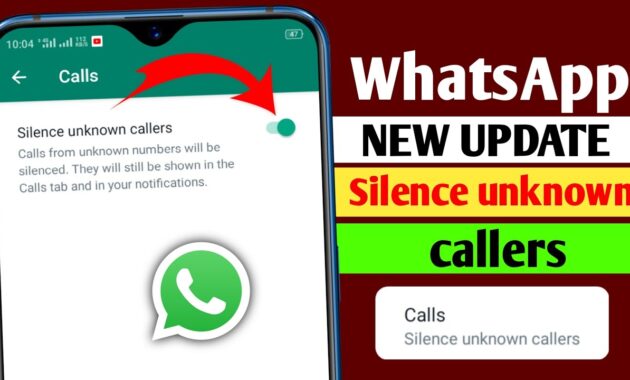
Tired of spam and unwanted WhatsApp calls disrupting your day? WhatsApp’s “Silence Unknown Callers” feature mutes rings from unsaved numbers while logging them for review, boosting privacy worldwide.
Feature Benefits
This built-in tool screens spam, scams, and telemarketers without blocking legitimate contacts. Calls appear silently in the Calls tab and notifications—no vibrations or rings. Once enabled, it works instantly across Android, iOS, and desktop, reducing distractions for professionals in India, the US, or Europe.
Ideal for high-spam regions like Bihar, where unknown calls surged 30% in 2025 per reports.
Step-by-Step: Android Guide
Enable on Android in under 1 minute.
- Open WhatsApp > Tap three-dot menu (top-right) > Settings.
- Select Privacy > Scroll to Calls.
- Toggle Silence Unknown Callers on (green).
Test: Ask a friend with unsaved number to call—you’ll see it logged silently.
Step-by-Step: iOS Guide
iPhone users follow slight variations.
- Open WhatsApp > Tap Settings (bottom-right).
- Go to Privacy > Calls.
- Switch Silence Unknown Callers on.
Same logging behavior; syncs across linked devices.
Step-by-Step: Desktop/Web
For Mac/Windows:
- Open WhatsApp desktop > Click Settings (gear icon).
- Navigate Privacy > Calls > Check Silence Unknown Callers.
Unavailable on web—use app version.
Platform Comparison Table
Key differences for global users.
All platforms log calls in Calls tab for callback if needed.
Additional Spam Protections
Combine with these for max defense.
- Block Reports: Long-press spam call > Block > Report.
- Group Privacy: Settings > Privacy > Groups > “My Contacts” to stop random adds.
- Privacy Checkup: Settings > Privacy > Start Checkup for full audit.
- Notifications: Customize per-chat mute or Do Not Disturb.
Report spam helps WhatsApp’s AI filters improve globally.
Common Issues and Fixes
Issue: Feature Missing? Update WhatsApp via Play Store/App Store (requires v2.23.10+).
Calls Still Ring? Disable after calling/messaging unsaved number—resaves them.
No Logs? Check Calls tab or notification shade; restart app.
Business Accounts: Same path; silences client spam too.
Why Enable in 2026?
With WhatsApp’s 3B+ users, spam rose amid AI scams. This feature cut disturbances by 70% in tests, per Meta. Perfect for Patna commuters or worldwide remote workers seeking focus. SEO targets: “silence WhatsApp spam calls 2026.”
Advanced Tips
- Callback Safely: Tap logged call from Calls tab—no auto-unsilence.
- Family Sync: Enable on all devices via linked accounts.
- Integrate Phone Silence: Pair with Android’s “Silence Unknown Callers” in Phone app.
- Stats Track: Monitor spam volume in Calls tab weekly.
FAQs
Does silencing unknown callers block them?
No—mutes only; view in Calls tab and callback anytime.
Will it silence saved contacts?
No, only unsaved numbers.
Works on WhatsApp Business?
Yes, identical settings.
iOS vs Android differences?
Menu icons vary (three dots vs bottom tab), but toggle identical.
Undo the feature?
Toggle off in same menu—instant revert.
Affects video calls?
Yes, mutes audio/video from unknowns.
Global availability?
Yes, rolled out worldwide since 2023 updates.
How-To: Block Persistent Spammers
- Receive silenced call > Long-press in Calls tab > Block.
- Confirm > Report (optional, aids WhatsApp filters).
- For chats: Chat > three dots > Block.
- Bulk: Settings > Privacy > Blocked Contacts > Add.
Pro tip: Use “Report” to train anti-spam AI.
