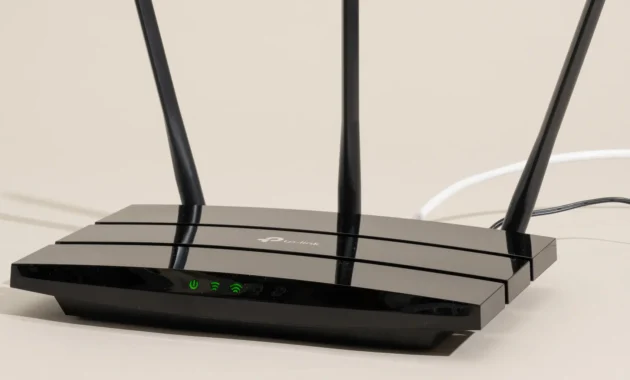
The wireless landscape has shifted dramatically in 2026. We are officially in the era of Wi-Fi 7 ubiquity, the early whispers of Wi-Fi 8, and the deep integration of AI into our home networks . Whether you are upgrading your home for the flood of smart devices, working remotely, or diving into 8K streaming, choosing the right router is more critical than ever.
This guide cuts through the technical jargon to help you find the perfect wireless solution for your needs and budget this summer.
The State of Wireless in Summer 2026
Before diving into specific products, it’s essential to understand the key trends shaping the market right now.
- Wi-Fi 7 is the New Standard: The IEEE 802.11be standard (Wi-Fi 7) is now mature and widely available in everything from flagship routers to mainstream smartphones . Its key features—Multi-Link Operation (MLO) and support for the 6 GHz band—provide the low latency and high speeds that modern households demand .
- The Rise of 5G CPE (Customer Premises Equipment): With 5G coverage maturing, many users are cutting the cord. 5G routers with built-in SIM slots are becoming a popular alternative to traditional fiber or cable, offering plug-and-play ultra-fast internet .
- AI-Native Networks: Artificial Intelligence is no longer just a marketing buzzword. Routers now use AI for proactive optimization, automatically managing bandwidth for gaming or video calls, enhancing security, and predicting network issues before they happen .
- Design Meets Function: The router is finally leaving the closet. Brands are focusing on aesthetics, with ambient lighting and sculptural designs that blend into living spaces .
How to Choose the Perfect Router
To ensure you get the best device, ask yourself these four questions:
1. Which Wi-Fi Standard Do You Need?
- Wi-Fi 7 (802.11be): Best for 2026. If you are buying a new router for a household with multiple heavy users, gamers, or if you have an internet plan over 1 Gbps, this is your choice. It offers full tri-band (2.4, 5, and 6 GHz) capabilities and MLO for lag-free performance .
- Wi-Fi 6E (802.11ax): Still a very capable and more budget-friendly option. It provides access to the “clean” 6 GHz band, which is great for reducing interference.
- Wi-Fi 6 (802.11ax): Perfect for smaller households or those on a tighter budget. It is a significant upgrade from Wi-Fi 5 and will handle 4K streaming and casual gaming with ease .
2. Router vs. Mesh System?
- Traditional Router: Best for apartments or homes under 1,800 sq. ft. where you can place the router centrally.
- Mesh System: Essential for larger homes, multi-story houses, or spaces with dead zones. Mesh systems use multiple nodes to create a single, seamless Wi-Fi network .
3. Check the Ports: 2.5 Gbps is the New Normal
With internet speeds exceeding 1 Gbps, a standard 1 Gbps Ethernet port is a bottleneck. Look for routers with 2.5 Gbps or even 10 Gbps ports to ensure your wired devices (like gaming PCs or NAS drives) can utilize your full internet speed .
4. Security Matters: WPA3 is Mandatory
To use the latest speeds on the 6 GHz band, your devices and router must use WPA3 security. Ensure your new router supports WPA3 to keep your network safe and future-proofed .
Best Wireless Networking Picks for Summer 2026
Here are the top recommendations categorized by user needs.
🏆 Best Overall Mesh System: Amazon eero 7
- Why it won: The eero 7 strikes the perfect balance between next-gen speeds and user-friendly simplicity. It brings Wi-Fi 7 to the masses with a dual-band setup that prioritizes reliability .
- Key Features:
- Standard: Wi-Fi 7 (Dual-Band 2.4 & 5 GHz).
- Speed: Up to 1.8 Gbps.
- Coverage: 4,000 sq. ft. with a 2-pack.
- Ports: 2 x 2.5 Gb Ethernet per unit.
- Best For: Users who want a reliable, whole-home network that is easy to set up via app.
- The Catch: Advanced parental controls require a subscription.
🎮 Best for Gamers & Power Users: Acer Predator Connect X7 5G
- Why it won: This is the ultimate “no compromises” router. It combines the raw speed of Wi-Fi 7 with a built-in 5G modem, ensuring you have a perfect connection even if your wired internet goes down .
- Key Features:
- Standard: Wi-Fi 7 (Tri-Band 2.4, 5, & 6 GHz).
- Speed: Up to 5.7 Gbps (on 6 GHz).
- Connectivity: Built-in 5G (Nano-SIM) + 2.5 Gbps WAN port.
- Best For: Gamers, streamers, and those who want a powerful 5G backup line.
- The Catch: Overkill for users with basic internet needs.
✨ Most Innovative Design: Huawei Mesh X3 Pro
- Why it won: If you hate the look of traditional tech, this is your router. It features a stunning “volcano lamp” design with customizable ambient lighting that sips power (as low as 4-5 watts) .
- Key Features:
- Standard: Wi-Fi 7 (Dual-Band 2.4 & 5 GHz).
- Design: Customizable RGB lighting (2,000-7,000K).
- Coverage: Solid performance through concrete (approx. 200 Mbps through two floors).
- Best For: Design-conscious users who want a centerpiece for their living room.
- The Catch: Not available in the US; Android setup requires sideloading the AppGallery .
💰 Best Budget Mesh: TP-Link Deco X55
- Why it won: Proven reliability and wide coverage at a fraction of the cost of new Wi-Fi 7 systems. It consistently ranks as a best-seller for a reason .
- Key Features:
- Standard: Wi-Fi 6 (Dual-Band).
- Speed: Up to 2.4 Gbps (5 GHz).
- Coverage: 6,500 sq. ft. with a 3-pack.
- Best For: Families on a budget who need to eliminate dead zones.
- The Catch: Lacks the 6 GHz band found on newer, pricier models.
✈️ Best Travel Companion: Acer Connect M4 5G Mobile Hotspot
- Why it won: It’s a powerhouse in your pocket. With a massive battery and the ability to handle 16 devices, it’s perfect for digital nomads or families on the road .
- Key Features:
- Standard: Wi-Fi 6.
- Battery: 8,000 mAh (long-lasting).
- Durability: IP54 rating (dust and splash resistant).
- Best For: Remote workers, travelers, and creating a secure network on the go.
- The Catch: It’s a hotspot, not a replacement for a home mesh system.
Specification Comparison Table
To make your decision easier, here is a side-by-side comparison of our top picks.
How to Set Up Your New Mesh System
Setting up a modern router is easier than ever, mostly done via smartphone apps. Follow these steps for optimal performance:
Step 1: Download the App
Most modern routers (like eero, TP-Link Deco, and Huawei AI Life) require an app for setup. Download the manufacturer’s app from the iOS App Store or (for most Android users) the Google Play Store .
Step 2: Replace Your Old Router
Unplug your old router. Connect your new main router to your modem (the box from your internet provider) using the provided Ethernet cable. Power on the modem, wait a minute, then power on the new router .
Step 3: Follow In-App Instructions
Open the app and create an account or log in. The app will guide you through scanning a QR code on the router, naming your network (SSID), and creating a password. Pro Tip: Use the same network name and password as your old router to avoid reconnecting every smart device in your home .
Step 4: Place Your Satellite Nodes
Place the satellite nodes in the areas where you need better coverage. Ideally, place them halfway between the main router and your dead zone, but within good wireless range of the main router. Plug them in and use the app to confirm a “good” connection .
Step 5: Update Firmware
Immediately after setup, check the app for a firmware update. Manufacturers constantly release performance and security patches .
Frequently Asked Questions (FAQs)
Q1: Is Wi-Fi 7 worth it in 2026?
Yes. Unlike in the early adoption phase, Wi-Fi 7 is now the standard for new smartphones, laptops, and PCs released in 2026. If you want to maximize your internet speed and reduce lag for gaming or VR, the investment is justified .
Q2: What is the difference between a router and a modem?
A modem brings the internet into your home from the outside world (cable, fiber, or 5G). A router takes that internet connection and creates a network, allowing multiple devices to use it wirelessly. Many devices are “gateway” combos, but high-end routers often require a separate modem (or a 5G SIM card) .
Q3: Do I need a 5G router?
If your home has poor fiber or cable infrastructure but good 5G reception, a 5G router (like the Acer Predator Connect) can provide fiber-like speeds without the need for a physical line. It’s also great as a failover backup .
Q4: Will Wi-Fi 7 devices work with my old laptop?
Yes. All modern Wi-Fi routers are backward compatible. Your new Wi-Fi 7 router will work perfectly fine with your Wi-Fi 5 or Wi-Fi 6 laptop, though the laptop will connect at its own maximum speed .
Q5: What is MLO (Multi-Link Operation)?
MLO is a signature feature of Wi-Fi 7. It allows a device to connect to the router over multiple frequency bands (e.g., 5 GHz and 6 GHz) at the same time. This results in faster speeds, lower latency, and less interference if one band is crowded .
Looking Ahead: The Future is Wi-Fi 8
As we enjoy the benefits of Wi-Fi 7, the industry is already finalizing the next step. Wi-Fi 8 (IEEE 802.11bn) , expected to arrive in late 2027 or 2028, will focus on “Ultra-High Reliability” . While Wi-Fi 7 focused on speed, Wi-Fi 8 will focus on stability and deterministic latency, crucial for the Industrial IoT and high-fidelity VR. Early discussions are already taking place among chipmakers like Qualcomm and MediaTek .
Summary:
For Summer 2026, your choice boils down to this:
- Go Wi-Fi 7 for the ultimate performance (eero 7 or Acer Predator).
- Go Wi-Fi 6 for the best value (Deco X55).
- Go Mesh if you have dead zones.
- Go 5G if you want to cut the cable cord.
