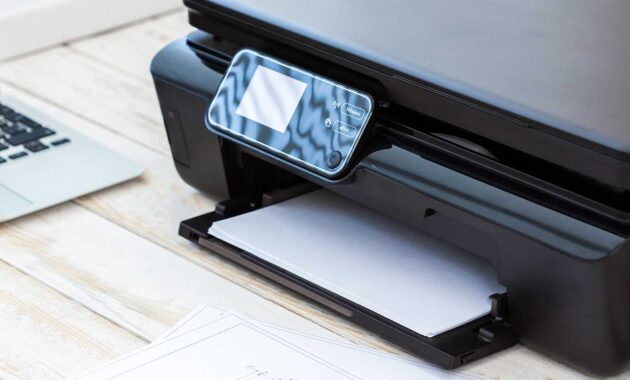
Finding the perfect printer in Winter 2026 feels more complex than ever. With the rise of hybrid work, smart home integration, and innovative ink technologies, the market is flooded with options. Whether you need a reliable workhorse for a home office, a budget-friendly device for a student, or a professional photo lab, choosing the wrong printer can lead to high costs and endless frustration.
The good news? We’ve analyzed expert reviews from leading sources like Trusted Reviews, PCMag, and Consumer Reports to bring you the definitive guide for the best printers this season. We’ll break down the technology, compare the top models, and show you how to save money in the long run.
How to Choose the Right Printer in 2026
Before diving into the rankings, it’s crucial to understand the landscape. The “cheap” printer you buy today might cost you hundreds in ink over the next two years.
1. The Great Debate: Inkjet vs. Laser vs. Tank
Your choice of technology dictates speed, quality, and running costs .
- Inkjet Cartridge Printers: These have the lowest upfront cost but the highest long-term expense. They are great for occasional users who need color and photo quality, but beware of “ink drying out” if unused for long periods .
- Ink Tank (Supertank) Printers: The star of 2026. These have a higher upfront price but come with refillable ink reservoirs. According to tests, running costs can drop to as low as 0.3 cents per black page . Ideal for high-volume homes and students .
- Laser Printers: The king of text. They use toner powder, are very fast, and never clog. Monochrome laser printers are the most reliable option for documents, while color lasers are best for business graphics .
2. Decoding the Specs: What Actually Matters?
- Running Cost (Cost Per Page): Ignore the price tag; look at the cost per page. Consumer Reports highlights that replacement ink for a $100 printer can cost $100 annually .
- Print Speed (ppm): Listed as “pages per minute.” However, real-world speeds vary. Look for First Page Out Time if you print small jobs frequently .
- Connectivity: In 2026, dual-band Wi-Fi (2.4/5GHz) is standard for stable connections. Ensure compatibility with Apple AirPrint and Mopria for seamless mobile printing .
3. “Hybrid Work” Features
Post-pandemic printers now focus heavily on self-healing connectivity (auto Wi-Fi restoration) and scan-to-cloud features. If you work from home, an Automatic Document Feeder (ADF) for scanning multi-page contracts is non-negotiable .
Best Printers of Winter 2026: Ranked & Reviewed
Based on lab tests and user reliability scores, here are the top printers you should buy this season.
Top 5 Printers at a Glance
🏆 Best Overall: HP Smart Tank 5105
If you buy one printer for a mixed-use household, make it this one. Trusted Reviews awarded it top marks because it solves the two biggest printer headaches: cost and features .
- Performance: It prints, scans, and copies with excellent quality on plain paper.
- Ink Value: It uses ink bottles instead of cartridges. The running cost is just 0.7p per color page, and HP includes enough ink in the box for up to 6,000 pages. You might not need to buy ink for two years.
- Trade-off: It is slow with color photos, but for school reports and office documents, it’s unbeatable .
🏆 Best for Home Offices: Epson EcoTank ET-3950
PCMag highlights the ET-3950 as the all-in-one to beat for remote workers . Unlike standard printers, this one features a 30-page Automatic Document Feeder (ADF) that supports automatic two-sided scanning and copying.
- Speed: Fast mono printing at 18ppm.
- Connectivity: Robust mobile support via the Epson Smart Panel app.
- Cost: With running costs at fractions of a cent, it pays for itself within a year if you print regularly .
🏆 Best Color Laser for Business: Brother MFC-L3780CDW
Business users need speed and durability. The Brother MFC-L3780CDW delivers “outstanding” output quality with relatively low toner costs . It features a single-pass auto-duplexing ADF which scans both sides of a document in one pass—saving massive amounts of time. It also supports NFC touch-to-print for mobile devices .
🏆 Best for Photography: Canon PIXMA Pro-200
Serious photographers require serious hardware. The PIXMA Pro-200 uses an eight-ink system (including greys) to produce exceptionally smooth gradients and accurate skin tones .
- Quality: Exceptional A3+ prints with less grain than standard 4-color printers.
- Use Case: It is expensive to run and slow on plain paper, so it’s strictly for those who prioritize photo quality above all else .
🏆 Best Budget/Low-Usage Pick: HP LaserJet M234dw
For those who only print text occasionally, Consumer Reports suggests skipping inkjets entirely. The HP LaserJet M234dw is a monochrome laser that is compact, very fast at text, and won’t dry out between uses. It’s the “set it and forget it” solution for documents .
2026 Technology Trends: What’s New This Winter
The printer market is evolving rapidly to support the “hybrid” lifestyle.
The Rise of the “Learning” Printer
In 2026, printers are becoming educational hubs. Models aimed at families, like the HP Smart Tank series, now integrate with cloud platforms containing K12 learning resource libraries, allowing parents to print worksheets and educational material directly from the printer’s app .
AI and Self-Maintenance
Downtime is a killer. Newer models are adopting AI-assisted smart maintenance. Canon’s imageFORCE series, for example, can predict the lifespan of parts and notify you before a failure occurs . Similarly, HP’s latest DeskJet models feature self-healing connectivity that automatically re-establishes a dropped Wi-Fi signal .
Eco-Conscious Design
Manufacturers are finally focusing on sustainability. Kyocera’s award-winning ECOSYS line is built for durability and low waste . Meanwhile, Sharp is using biodegradable, recycled paper-based materials in the construction of printers like the BP-C131WD, reducing plastic usage .
How To Calculate the “True Cost” of a Printer
Most people buy a printer based on the shelf price. Here is how to calculate the Total Cost of Ownership (TCO) to avoid “the razor-and-blades” trap.
Step 1: Find the Cartridge Yield. Check the manufacturer’s website for the ISO/IEC yield (e.g., 200 pages per cartridge).
Step 2: Calculate Cost Per Page.
Cost Per Page = Cartridge Price / Page YieldStep 3: Estimate Yearly Usage.
If you print 100 pages a month, that’s 1,200 pages a year.
- Cartridge Printer: If CPP is $0.15, yearly ink cost = $180.
- Tank Printer: If CPP is $0.01, yearly ink cost = $12.
Step 4: Add the purchase price. Add the initial cost of the machine to the 3-year ink cost. You will often find the “expensive” tank printer is actually the cheaper option by year two .
Frequently Asked Questions (FAQ)
Q: Should I leave my printer on all the time?
A: It depends. Inkjet printers often run maintenance cycles when turned on to prevent clogs, using a small amount of ink. If you print daily, leaving it on is fine. If you print weekly, turning it off saves power. Laser printers can be turned off safely at any time .
Q: Why is printer ink so expensive?
A: Printers are often sold at a loss, with companies recouping profits through ink cartridge sales. This business model subsidizes the hardware cost. This is why “Tank” printers are gaining popularity—they bypass the cartridge model entirely .
Q: Can I use generic or remanufactured ink cartridges?
A: Yes, but with caution. Third-party cartridges are cheaper, but Consumer Reports notes they can sometimes leak or result in lower print quality. They may also void your warranty if they damage the printhead, although the Magnuson-Moss Warranty Act protects your right to use third-party supplies in the US .
Q: How do I fix a clogged print head?
A: Most modern printers (like the HP G5 series) have improved anti-clogging technology . If a clog occurs, use your printer’s software utility to run the “Clean Printhead” cycle. Avoid manual cleaning unless you are experienced.
Q: What is the best printer for a student living in a dorm?
A: Space and reliability are key. Consider a compact monochrome laser like the HP LaserJet M234dw for documents, or a compact all-in-one like the Canon PIXMA TS8750 if color is needed for projects .
Conclusion
The best printer for Winter 2026 is no longer just about the machine—it’s about the ecosystem. For most households and home offices, the HP Smart Tank 5105 and Epson EcoTank ET-3950 represent the pinnacle of value, slashing running costs while delivering high-quality output. If you are a business user, the speed and reliability of the Brother MFC-L3780CDW is unmatched.
By focusing on running costs and required features rather than just the upfront price, you can ensure your new printer is a helpful asset, not a frustrating expense, for years to come.
