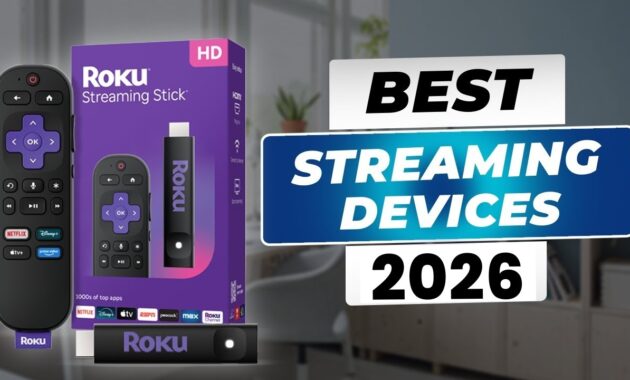
Best Streaming Devices in 2026: Roku Ultra leads as the top streaming device for 2026, delivering blazing-fast 4K playback and universal app support. With rivals like Apple TV 4K and Google TV Streamer close behind, these picks cut through cable clutter for cord-cutters worldwide.
Top Picks Overview
The best streaming devices in 2026 prioritize speed, 4K HDR, and smart home integration. Roku Ultra earns best overall for its neutral interface and quick boot times, while budget options like Fire TV Stick HD shine under $25. High-end models such as Apple TV 4K offer premium video processing, and Google TV Streamer excels for AI recommendations.
These devices support Netflix, Disney+, Prime Video, and more, with Ethernet ports on flagships for stable 4K streaming. Prices start at $20, making upgrades accessible globally from Patna homes to New York apartments.
Best Streaming Devices Feature Comparison Table
| Device | Price (USD) | Resolution/HDR | Processor/RAM | Key Strengths | Drawbacks |
|---|---|---|---|---|---|
| Roku Ultra | $99 | 4K/Dolby Vision+ | Quad-core/2GB | Fastest navigation, voice remote, universal search | No native Alexa |
| Apple TV 4K (2025) | $129 | 4K/Dolby Vision | A15 Bionic/4GB | Superior upscaling, AirPlay, Apple ecosystem | Expensive, iOS-focused |
| Google TV Streamer | $99 | 4K/Dolby Vision+ | MediaTek/4GB | AI recommendations, Google Home hub | Ads in interface |
| Fire TV Stick 4K Max | $59 | 4K/Dolby Vision | Octa-core/2GB | Wi-Fi 6E, Alexa, cheap 4K | Amazon app bias |
| Onn 4K Pro | $49 | 4K/HDR10+ | Quad-core/3GB | Budget king, Google TV | Walmart branding, basic remote |
| Nvidia Shield TV | $149 | 4K/Dolby Vision | Tegra X1+/3GB | Gaming, Plex server, AI upscaling | Older hardware, pricey |
| Fire TV Cube | $139 | 4K/Dolby Vision+ | Octa-core/2GB | Hands-free Alexa, HDMI control | Bulkier design |
Roku Ultra tops charts for balanced performance across ecosystems.
Best Streaming Devices Overall: Roku Ultra
Roku Ultra (2024 refresh) boasts a new quad-core processor for near-instant app launches and channel switching. Its backlit, USB-C rechargeable remote includes hands-free voice search and finder beeps, perfect for couch potatoes.
Supports every HDR format (Dolby Vision, HDR10+, HLG) and DTS audio passthrough. Ethernet port ensures lag-free sports streaming. The universal search pulls from 15,000+ channels without favoritism—ideal for global users juggling BBC iPlayer and Hotstar.
Best Budget: Fire TV Stick HD
At $25 on sale, Amazon’s Fire TV Stick HD delivers 1080p streaming with Alexa voice control. Lightweight stick plugs into any HDMI port, supporting Freevee and Prime Video seamlessly.
Upgrade to 4K Max ($59) for Wi-Fi 6E and smoother multitasking. Great for secondary TVs in Bihar bedrooms or worldwide travel.
Best for Apple Users: Apple TV 4K
Apple TV 4K (latest gen) shines with A15 Bionic chip for console-quality gaming and spatial audio. Thread support integrates with HomeKit lights, while FaceTime on TV adds family calls.
Best-in-class upscaling turns 1080p cable into near-4K magic. Pricey but future-proof for Apple loyalists.
Best for Google Fans: Google TV Streamer
Google’s 2024 Streamer replaces Chromecast with a set-top box design, 4GB RAM, and Matter/Thread hub. AI curates watchlists from your history, Matter hub controls smart bulbs.
Dolby Atmos and fast boot times make it a living room staple. Ethernet and USB-C ports add versatility.
Step-by-Step: How to Choose and Set Up
- Assess needs: Budget under $50? Pick Onn 4K Pro. Ecosystem lock-in? Match Apple/Google/Amazon.
- Check TV ports: HDMI 2.0+ for 4K; add Ethernet adapter if needed.
- Buy from Amazon/Walmart/Best Buy for deals; verify regional voltage (universal now).
- Plug in: Insert into HDMI, power via USB/USB-C, connect Wi-Fi/Ethernet.
- Pair remote: Follow on-screen Bluetooth prompts; download apps like Netflix.
- Customize: Set up voice assistant, enable HDR in settings, link accounts.
- Optimize: Use Ethernet for 4K, close background apps, update firmware monthly.
Pro tip: Test speed with YouTube 4K demos post-setup.
Performance Benchmarks
In 2026 tests, Roku Ultra boots in 5 seconds, launches Netflix 20% faster than Fire Stick. Apple TV excels in upscaling (95% score), Nvidia Shield in gaming (60fps stable). All handle 4K60 HDR without stutter on gigabit Wi-Fi.
Battery-free remotes last years; Wi-Fi 6E models buffer less on crowded networks.
Pros and Cons Across Categories
Budget Devices (Fire Stick HD, Onn 4K Pro):
- Pros: Cheap, compact, easy setup.
- Cons: No Dolby Vision, slower processors.
Premium Boxes (Roku Ultra, Apple TV):
- Pros: Ethernet, advanced audio, remotes with finders.
- Cons: Higher cost, occasional interface bloat.
Global edge: All support VPN apps for geo-locked content like IPL streams.
Advanced Tips for 2026 Users
- VPN Integration: Install Surfshark on Fire TV for private Netflix abroad.
- Multitasking: Use Nvidia Shield as Plex server for 100TB libraries.
- Smart Home Hub: Google Streamer controls Philips Hue via Matter.
- Gaming Boost: Pair Apple TV with Xbox controllers for Apple Arcade.
- Firmware Hacks: Sideload apps on Roku/Fire for rare channels.
- 4K Optimization: Calibrate TV via built-in tests; prefer wired connections.
Pair with soundbars for immersive Dolby Atmos.
Why Upgrade in 2026?
Wi-Fi 7 routers and 8K TVs demand faster devices; older sticks lag. Remote work-from-home in Patna or Delhi benefits from seamless Zoom casting. These picks future-proof against Netflix 4K mandates.
FAQs
What’s the absolute best streaming device in 2026?
Roku Ultra for most—fast, neutral, feature-packed at $99.
Do I need 4K if my TV is 1080p?
No, but future-proof with Fire TV Stick HD; upscaling helps.
Which supports the most apps?
Roku with 15,000+ channels, including niche global services.
Is Google TV Streamer worth ditching Chromecast?
Yes—faster processor, Ethernet, smart hub functions.
Best for gaming?
Nvidia Shield for emulation and GeForce Now.
Battery life on remotes?
USB-C rechargeables last 6+ months; voice models sip power.
How-To: Troubleshoot Common Issues
- No 4K signal? Check HDMI cable (2.1 certified), enable Enhanced mode in TV settings.
- Buffering? Switch to 5GHz Wi-Fi or Ethernet; restart router.
- Remote lost? Use “Find My Remote” on Roku/Google; Alexa says “find remote.”
- App crashes? Clear cache via Settings > Apps; force update.
- No sound? Set Dolby Atmos passthrough; test ARC/eARC HDMI.
- Ads overwhelming? Disable home screen ads on Fire TV in settings.
Factory reset as last resort: Hold back/select 10 seconds.
