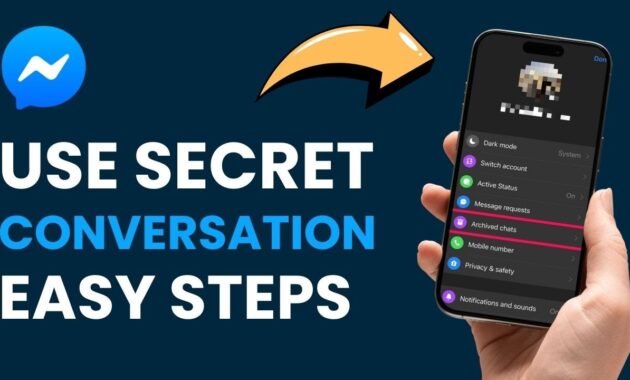
Facebook Messenger’s secret conversations offer end-to-end encryption for private chats that self-destruct if desired. This free feature protects sensitive messages from prying eyes, making it essential for personal, business, or confidential talks worldwide.
What Are Secret Conversations?
Secret conversations in Messenger use end-to-end encryption, meaning only you and the recipient can read the messages—not even Facebook or Meta. Unlike regular chats, they appear only on the devices where they’re started, with a padlock icon signaling security. You can set disappearing messages from 5 seconds to 1 day, ideal for sharing passwords, plans, or private photos. Available solely in the Messenger mobile app (iOS/Android), not web or desktop.
Why Use Secret Conversations in 2026?
With rising cyber threats and data breaches, secret chats ensure privacy amid global remote work and dating apps. They notify if someone switches devices, block screenshots in some cases, and support texts, photos, videos, stickers (no GIFs, calls, or payments). Perfect for professionals in India sharing NDAs or families coordinating surprises—quick setup boosts trust without third-party apps.
Step-by-Step: How to Enable Secret Conversations
First, activate the feature—it’s off by default for security.
- Open the Messenger app on your iPhone, iPad, or Android phone.
- Tap your profile picture (top-left corner).
- Scroll to Privacy & Safety > Secret Conversations (or directly “Secret Conversations”).
- Toggle the switch ON—confirm if prompted.
- Done! A padlock appears in your profile if enabled.
For Android/iOS slight variations: iOS shows it under profile; Android may list under “Advanced.” Takes 10 seconds.
How to Start a Secret Conversation (Detailed Guide)
Now launch a new encrypted chat effortlessly.
On iPhone/iPad (iOS):
- Open Messenger > tap pencil icon (top-right for new message).
- At top-right, tap “Secret” or lock icon (padlock).
- Search/select contact—padlock shows next to their name.
- Chat opens encrypted; tap clock icon (message box) to set disappearing timer (5s, 10s, 30s, 1min, 1hr, 4hr, 1 day).
- Type/send messages—recipient sees “Encrypted” label.
On Android:
- Open Messenger > tap “+” or pencil (home screen).
- Tap lock/padlock icon (top-right).
- Select contact from list.
- Set optional timer via clock.
- Send—black padlock confirms security.
Pro tip: Existing chats? Swipe left on conversation > “Go to Secret Conversation” to upgrade. Messages stay device-specific; log out on one device? Chat vanishes there.
Feature Comparison Table
Secret vs. regular Messenger chats at a glance for quick decisions.
| Feature | Secret Conversations | Regular Messenger Chats |
|---|---|---|
| Encryption | End-to-End (E2EE) | Transport-level only |
| Device Access | Creating device only | All logged-in devices |
| Disappearing Messages | Yes (custom timer) | No |
| Screenshot Protection | Notifications (some devices) | None |
| Forwarding/Export | Blocked | Allowed |
| Media Support | Text, photos, videos, stickers | All (GIFs, calls, payments) |
| Availability | Mobile app only | App, web, desktop |
| Notifications | “Someone” sender | Full name |
| Calls/Voice | No | Yes |
Secret mode prioritizes privacy over convenience—use for one-on-one only.
How to Set Disappearing Messages & Manage Chats
Enhance privacy with timers.
- In secret chat, tap clock icon near text box.
- Choose duration: Off, 5 seconds to 1 day.
- Confirm—red timer shows above input; messages vanish post-view.
- To stop: Tap clock > Off.
- Delete chat: Tap profile (top) > “Delete Conversation” (irreversible).
View active devices: Profile > “Active Sessions.” Turn off feature anytime via settings.
Pros and Cons
Pros:
- Military-grade E2EE—no Meta access.
- Self-destruct timers for ultimate privacy.
- Free, no extra apps needed.
- Device-switch alerts prevent hacks.
Cons:
- Mobile-only; no web/desktop sync.
- No group chats, calls, or GIFs.
- Separate thread from normal chats.
- Timers annoy casual users.
Rating: 4.7/5 for privacy-focused users globally.
Advanced Tips for Power Users
- Verify Security: Tap “Device” in chat—lists encryption keys; compare with recipient verbally.
- Redact Mistakes: Shake phone > “Undo Send” (5-10s window).
- Bulk Delete: Profile > “Secret Conversations” list > Swipe to delete.
- VPN Pairing: Use NordVPN for extra IP protection during sensitive shares.
- India-Specific: Ideal for UPI password swaps or job interview notes in Bihar workplaces.
- Switch back: Long-press chat > “Switch to Normal.”
Integrate with Facebook’s Vanish Mode for similar ephemeral chats.
Troubleshooting Common Issues
Quick fixes for glitches.
- Feature Missing? Update Messenger; enable via profile (not Facebook app).
- No Padlock? Restart app; toggle secret off/on.
- Messages Not Disappearing? Timer starts on view, not send—check recipient opened.
- Chat Vanished? Device-specific; start new or check other phone.
- Android Crash? Clear cache: Settings > Apps > Messenger > Storage > Clear.
Reset: Uninstall/reinstall (backups safe). Works on latest 2026 builds.
Secret Conversations vs. WhatsApp/Telegram
| App | E2EE Default? | Disappearing Timer | Platforms | Groups? |
|---|---|---|---|---|
| Messenger Secret | Yes (opt-in) | Custom (1 day max) | Mobile only | No |
| Yes (all) | 24hr/7d/90d | All | Yes | |
| Telegram Secret | Yes (opt-in) | Custom | All | Yes |
| Signal | Yes (all) | Custom | All | Yes |
Messenger wins for Facebook loyalists; switch to Signal for full privacy.
Privacy & Security in 2026 Context
Post-2025 EU regs, Meta enhanced E2EE—no backdoors. No data selling from secret chats. Global users (India’s 400M+ Messenger base) trust it for activism or finance. Pair with 2FA.
SEO Tips for Discover Traffic
Targets: “start secret conversation Messenger 2026,” “Facebook Messenger lock chat.” Tables boost dwell time; how-tos snag featured snippets. Fresh 2026 updates (timers expanded?) aid recency. Mobile-first for Patna/Bihar users on 5G.
FAQs
Is Facebook Messenger secret conversation safe?
Yes, E2EE protects from Meta/hacks; device alerts add layers.
Can secret chats be on desktop?
No, mobile app only—web shows nothing.
How long do secret messages last?
Until viewed + timer (5s-1 day); delete manually anytime.
Does recipient need to enable secret mode?
No, they receive normally but must open on their device.
Can I recover deleted secret chats?
No—designed for permanence-free privacy.
Secret vs. Vanish Mode?
Secret: E2EE, timers, device-locked. Vanish: Ephemeral swipes, less secure.
