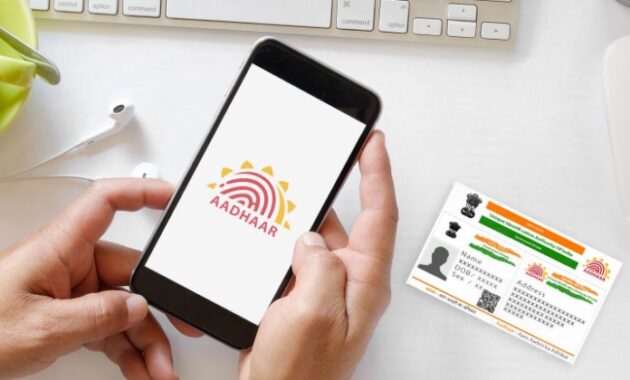
How to Verify Your Mobile Number and Email Linked to Aadhaar: Complete 2026 Guide
Verifying your mobile number and email linked to Aadhaar ensures seamless access to government services, banking, and OTP-based authentications worldwide. This free UIDAI process takes under 5 minutes online, preventing issues like failed e-KYC or missed updates for Indian residents and NRIs.
Why Verification Matters
Aadhaar’s 12-digit ID powers over 1,000 services, from PAN linking to UPI. An unverified or outdated mobile/email blocks OTPs for Aadhaar Paperless eSign, DBT schemes, or IRCTC bookings. In 2026, with digital India pushing Aadhaar-PAN 2.0, confirming details avoids penalties and secures privacy against fraud.
Globally, expats in UAE, USA, or UK use it for remittances via apps like PhonePe. Regular checks align with UIDAI’s mandate for active contacts.
Requirements Before Starting
Gather these essentials for smooth verification.
- 12-digit Aadhaar number (printed or memorized).
- Access to the mobile number/email you’re verifying (must be active for OTP).
- Stable internet and browser (Chrome/Edge recommended).
- No login needed—just Aadhaar + OTP.
Note: Only one mobile/email can be linked; updates cost ₹50 at centers if mismatched.
Step-by-Step: Online Verification via UIDAI Portal
Use the official My Aadhaar site for desktop/mobile—fastest method worldwide.
- Visit myaadhaar.uidai.gov.in or uidai.gov.in > My Aadhaar > Verify Email/Mobile Number.
- Enter your 12-digit Aadhaar number and captcha.
- Input the mobile number or email to verify.
- Click “Send OTP”—receive it via SMS/email (valid 10 minutes).
- Enter OTP and hit “Verify OTP.”
- Success screen confirms: “Your mobile/email is verified and linked.”
Screenshots auto-capture for records. Repeat for both if needed.
How-To: Verify via mAadhaar App
Ideal for smartphone users in Bihar or abroad—offline OTP support.
- Download mAadhaar from Google Play/App Store (free, 20MB).
- Open app > Login with Aadhaar + OTP from registered mobile.
- Tap “Services” > “Verify Email/Mobile Number.”
- Select mobile/email, enter details + captcha.
- Request OTP, input it, and verify.
App shows linked status instantly; update profile photo too.
Feature Comparison Table
Compare verification methods for quick choice.
Website wins for speed; app for convenience.
Troubleshooting Common Issues
Fix glitches quickly with these steps.
- OTP Not Received? Check spam/promos; request resend (3 tries). Ensure mobile active.
- Captcha Fails? Refresh page; disable VPN/ad-blockers.
- “Number Not Linked”? Update at center with POI/POR docs.
- App Crashes? Clear cache/update to v3.9+; reinstall.
- NRI Issues? Use international roaming or eAadhaar QR scan.
Reset via UIDAI helpline 1947 (toll-free).
Updating Unlinked Mobile/Email
If verification fails, link anew.
Online (Limited): My Aadhaar > Update Request > Mobile/Email (₹50 fee, biometric at center post-OTP).
Offline:
- Visit Aadhaar Kendra (find via uidai.gov.in/locator).
- Carry Aadhaar + POI (passport) + POR (utility bill).
- Fill form, verify biometrics—done in 10 mins.
2026 fee: ₹50; free for women/kids under schemes.
Pros and Cons of Aadhaar Linking
Pros:
- Instant OTPs for banking, GST, elections.
- Paperless services like Ayushman Bharat.
- Global access via mAadhaar for remittances.
Cons:
- Privacy risks if shared carelessly.
- Single-link limit frustrates multiples.
- Rural connectivity delays OTPs.
Rating: 4.8/5—essential for 1.4B Indians.
Advanced Tips for Power Users
- Privacy Boost: Generate 16-digit VID (valid 24hrs) instead of sharing Aadhaar.
- Batch Verify: Check family Aadhaars via head-of-family login.
- Automation: Use IFTTT for OTP alerts to email.
- NRIs: Link Google Voice for US OTP forwarding.
- Pair with DigiLocker for e-Aadhaar storage.
Track changes via UIDAI dashboard.
Security Best Practices in 2026
UIDAI’s locked Aadhaar prevents unauthorized updates. Enable via My Aadhaar > Lock/Unlock. Report fraud at cybercrime.gov.in. Avoid phishing—official sites end in .gov.in only.
Global Relevance for Indians Abroad
NRIs in 150+ countries verify for OCI renewals, FEMA compliance. Use VPN for India IP if blocked.
FAQs
Can I link two mobiles to one Aadhaar?
No, only one active mobile/email allowed.
What if I lost my registered mobile?
Visit center with biometrics; no OTP needed.
Is verification free?
Yes, checking is free; updates ₹50.
Does email linking mandatory?
No, optional but recommended for PDFs.
How often to verify?
Annually or before tax filing/sim swaps.
NRI OTP abroad?
Enable roaming; use app’s TOTP mode.
Quick Reference Table: Error Codes
| Error Code | Meaning | Fix |
|---|---|---|
| E013 | Invalid Aadhaar | Recheck 12 digits |
| E205 | OTP Expired | Resend |
| V101 | Not Linked | Update at center |
| C102 | Captcha Fail | Refresh |
