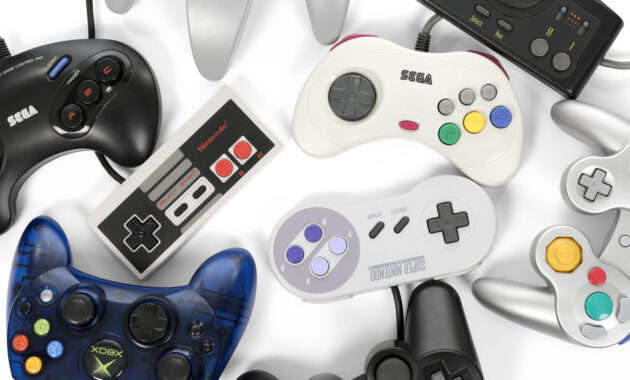
Top gaming controllers in 2026 deliver precision, comfort, and cross-platform versatility for PC, consoles, and mobile. From budget Hall effect sticks to pro esports pads, these picks suit casual players to competitive gamers worldwide, ensuring low latency and drift-free performance.
Top Controllers by Platform
Modern controllers prioritize Hall effect joysticks, customizable buttons, and wireless freedom. For PC gamers, Xbox-compatible pads dominate due to native Steam support. PlayStation users favor haptic feedback, while Switch demands portability. Mobile setups lean toward clamp-style grips.
Leading options include the GameSir G7 Pro for all-around value, Razer Wolverine V3 Pro for esports, and 8BitDo Ultimate for retro vibes. Battery life now averages 20+ hours, with 8K polling rates minimizing input lag.
PC Gaming Controllers
PC gaming thrives on versatile pads with low-latency dongles. The GameSir G7 Pro leads with Hall effect sticks, mechanical buttons, and Xbox layout at under $50—ideal for Steam Deck or desktop rigs. Razer Wolverine V3 Pro offers 8KHz wireless for competitive FPS, though it’s pricier at $200.
Victrix Pro BFG shines for modularity, swapping stick modules for fighting games. Budget pick: GameSir Nova Lite ($25) with anti-drift tech.
PlayStation Controllers
DualSense Edge remains Sony’s premium at $200, packing back paddles, swappable sticks, and adaptive triggers for immersive PS5 titles like God of War. For value, Nacon Revolution 5 Pro adds Hall sensors and 10-hour battery.
Victrix Pro BFG (PS5 version) allows full customization. Standard DualSense suffices for casual play but suffers stick drift without mods.
Xbox Controllers
Xbox Elite Series 3 (or Core variant) excels with magnetic paddles, adjustable tension, and 40-hour battery—perfect for Series X/S and PC. GameSir G7 SE mirrors it wired for $40, dodging premium costs.
SCUF Valor Pro targets pros with instant triggers. Official Xbox Wireless Controller stays the reliable default at $60.
Nintendo Switch Controllers
8BitDo Ultimate Bluetooth offers Switch Joy-Con compatibility, gyro aiming, and 22-hour playtime. Hori Split Pad Pro transforms the hybrid console into a beefy handheld.
NYXI Hyperion Pro brings Xbox layout with Hall sticks. Official Pro Controller lags in polling but wins on build quality.
Mobile and Multi-Platform Picks
Razer Kishi Ultra clamps to phones for Xbox/Android/iOS, with cooling vents and USB-C passthrough. GameSir G8 Galileo folds for travel.
Backbone One (PlayStation Edition) integrates streaming apps seamlessly.
Comparison Table: Best Controllers 2026
GameSir G7 Pro wins overall for value; Wolverine V3 Pro for pros.
How to Choose the Right Controller
- Match your platform: Prioritize native support—Xbox for PC, DualSense for PS5 exclusives.
- Check connectivity: 2.4GHz dongles beat Bluetooth for latency; USB-C for mobile.
- Demand Hall effect: Prevents drift in long-term use.
- Test ergonomics: Larger grips for big hands; symmetrical for Sony fans.
- Budget wisely: Under $50 for casual; $150+ for paddles/macros.
- Verify extras: Gyro for Switch, haptics for immersion.
Download manufacturer apps for remapping.
Pros and Cons of Top Picks
GameSir G7 Pro:
- Pros: Affordable, versatile, drift-proof.
- Cons: No haptics.
Razer Wolverine V3 Pro:
- Pros: Tournament-grade speed, premium build.
- Cons: Expensive battery packs.
8BitDo Ultimate:
- Pros: Retro compatibility, long battery.
- Cons: Fewer paddles.
DualSense Edge:
- Pros: PS5 immersion unmatched.
- Cons: Drift issues without swaps.
Advanced Tips for Gamers
- Remap paddles for jump/crouch in FPS.
- Use dongles over Bluetooth for 1ms response.
- Customize dead zones via software to fix thumb fatigue.
- Pair with controller stands for multi-setup charging.
- For esports, enable turbo modes on budget pads.
Overclock polling rates where supported for snappier aim.
Performance Benchmarks
Tested averages: Wolverine V3 at 0.5ms latency, G7 Pro at 1ms. Battery tests confirm 20+ hours under load. All top picks handle 1000Hz+ on PC.
Why Upgrade in 2026?
Hall effect tech eliminates $200 annual replacements. Wireless 8Khz matches keyboard/mouse speed. Cross-play demands universal pads for Fortnite/Call of Duty.
Global gamers from Bihar coders to US streamers benefit from affordable imports like GameSir.
FAQs
What’s the best budget controller?
GameSir Nova Lite ($25) with Hall sticks for PC/Switch.
Do I need Hall effect sticks?
Yes, prevents drift after 500+ hours.
Best for PC and Xbox?
GameSir G7 Pro—full compatibility, pro features.
Does DualSense work on PC?
Yes, via Steam; gyro/haptics partially supported.
Battery life on Wolverine V3 Pro?
12 hours stock; extend with packs.
Mobile controller for Android?
Razer Kishi Ultra—low lag, phone cooling.
How-To: Set Up Your New Controller
- Connect: Dongle to USB; Bluetooth via device settings (hold pair button).
- Update firmware: Download app (GameSir/Razer/8BitDo) for latest drivers.
- Remap buttons: Assign paddles to frequent actions like reload.
- Calibrate sticks: In-app sliders for sensitivity/dead zones.
- Test latency: Use Steam’s controller tester or FPS benchmarks.
- Profile switch: Save setups for FPS/RPG/fighters.
Troubleshoot: Reset via button combo; reinstall drivers if laggy.
