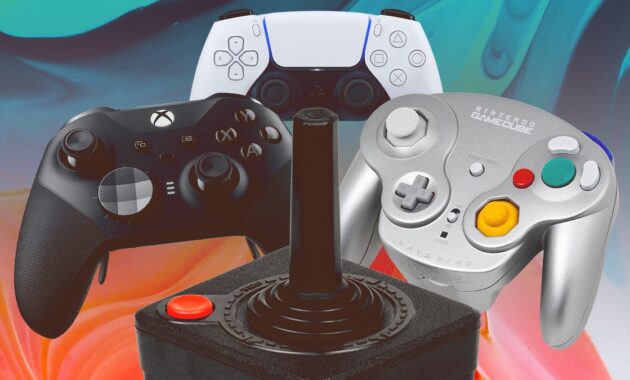
The controller is your gateway to virtual worlds. Whether you are building empires in Civilization VII, conquering the gridiron in Madden 26, or exploring the depths of Zelda on the new Switch 2, the quality of your gamepad can make or break your experience. While mouse and keyboard have their place, a great controller offers ergonomic comfort, immersive feedback, and the precision needed for competitive play.
However, with the rapid evolution of technology—from Hall Effect sensors that eliminate drift to modular designs shown at CES 2026—finding the perfect controller has become more complex .
We have analyzed expert reviews from IGN, CNET, and Reddit communities, and tested the latest 2026 models to bring you the definitive guide to the best controllers for PlayStation, Xbox, Nintendo Switch, and PC.
Why the Right Controller Matters
Before diving into the list, it is crucial to understand what makes a controller “great.” For casual gamers, the standard pack-in controller is often sufficient. But for enthusiasts and competitive players, factors like input lag, ergonomics, and customization are vital. The market in 2026 is defined by anti-drift technology (like TMR and Hall Effect sticks) and modularity, allowing you to swap components to suit your grip and game genre .
At a Glance: Top Picks for 2026
Here are our recommendations based on platform and player needs.
The Best Controllers for PlayStation 5
Sony’s PS5 ecosystem is unique because of its haptic feedback and adaptive triggers. While this limits third-party compatibility, there are still stellar options available.
1. Best Overall PS5 Controller: Sony DualSense
You cannot go wrong with the original. The DualSense remains one of the most innovative controllers ever made. Its haptic feedback is unrivaled—you can feel the difference between driving on grass versus asphalt in Gran Turismo. The adaptive triggers add tension to bows and accelerators, creating immersion that no other platform can replicate .
- Connectivity: Wireless, USB-C
- Battery Life: 10-12 hours
- Best For: Immersive single-player games.
- Pros: Unbeatable haptics, great ergonomics, built-in mic and create button.
- Cons: Short battery life, prone to stick drift over time .
2. Best Premium PS5 Controller: Turtle Beach Victrix Pro BFG
If you want a competitive edge, the Victrix Pro BFG is the favorite among Reddit users and pros. It features a modular design, allowing you to swap between asymmetrical (Xbox-style) and symmetrical (PlayStation-style) stick layouts. The “Reloaded” version now includes built-in Hall Effect joysticks, virtually eliminating drift .
- Connectivity: Wired, Wireless (USB Dongle)
- Features: Six-button fight pad module, five-stage trigger stops, four back paddles.
- Pros: Extremely customizable, lightweight, excellent for multi-genre gaming.
- Cons: Expensive (around $200) .
The Best Controllers for Xbox Series X/S
Xbox offers the widest compatibility with PC, making these controllers versatile investments.
1. Best Overall Xbox Controller: Xbox Core Controller
The standard Xbox Core Controller (sometimes called the Series X/S controller) is the gold standard for ergonomics. It fits nearly every hand size perfectly, has a textured grip, and a dedicated share button. While it still runs on AA batteries (which some see as a con, others see as a pro for longevity), its plug-and-play simplicity with both Xbox and PC is unbeatable .
- Connectivity: Wireless, Bluetooth, USB-C
- Battery Life: 30-40 hours (on AAs)
- Pros: Comfortable design, responsive D-pad, wide color selection.
- Cons: Uses disposable batteries unless you buy a play-and-charge kit .
2. Best High-Performance Xbox Controller: Razer Wolverine V3 Pro
Dubbed the “Reddit favorite” for competitive shooters like Call of Duty, the Wolverine V3 Pro is built for speed. It features Razer’s Mecha-Tactile action buttons for satisfying clicks and Hall Effect thumbsticks for drift-free precision. The Pro HyperTriggers allow for hair-trigger actuation, giving you the edge in firefights .
- Connectivity: Wireless (Razer HyperSpeed), Wired
- Features: Four rear paddles, two claw-grip bumpers, trigger stops.
- Pros: Instantaneous response, durable sticks, up to 20-hour battery life.
- Cons: Software customization requires a PC .
The Best Controllers for Nintendo Switch & Switch 2
The Switch and new Switch 2 benefit from controllers that offer a traditional grip. With the advent of the Switch 2, anti-drift technology is more important than ever.
1. Best Overall Switch Controller: GuliKit KingKong 3 Max
The GuliKit KingKong 3 Max has dethroned Nintendo’s own Pro controller. Why? It comes standard with Hall Effect sensing sticks and triggers, meaning you will never experience Joy-Con drift. It offers three connectivity modes (wired, 2.4g, Bluetooth), RGB lighting around the sticks that indicates sensitivity, and four remappable back paddles .
- Connectivity: Bluetooth, 2.4GHz Dongle, USB-C
- Battery Life: 28 hours (RGB off)
- Pros: Drift-proof, multi-platform (Switch/PC/Android), HD Rumble.
- Cons: Face buttons are slightly mushy compared to competitors .
2. Best for Switch 2: Nintendo Switch 2 Pro Controller
If you own the new console, the official Switch 2 Pro Controller is a worthy upgrade. It adds two customizable back buttons—a first for a Nintendo first-party controller—and includes a 3.5mm audio jack. It also features a dedicated “C” button for the new GameChat social features .
- Connectivity: Wireless, USB-C
- Features: Upgraded HD Rumble 2, Amiibo support.
- Pros: Perfect integration with Switch 2 OS, excellent build quality.
- Cons: Premium price point .
The Best Controllers for PC
PC gamers have the luxury of choosing from every ecosystem. Here are the best for the master race.
1. Best High-End PC Controller: Xbox Elite Series 2
Even years after its release, the Xbox Elite Series 2 remains the king of the hill for PC gamers, praised in r/buildapc for its longevity and feel . It features adjustable-tension thumbsticks, interchangeable paddles and D-pads, and a phenomenal 40-hour battery life. It connects via Xbox Wireless, Bluetooth, or USB-C, making it the most versatile controller for Windows .
- Connectivity: Wireless, Bluetooth, USB-C
- Battery Life: Up to 40 hours
- Pros: Infinite customization, rechargeable charging dock included, rubberized grip.
- Cons: ABXY buttons can feel mushy; expensive .
2. Best Modular Innovation: 8BitDo Ultimate 3e
Revealed at CES 2026, the 8BitDo Ultimate 3e is set to change the game for Xbox and PC players. This officially licensed controller allows you to swap not just the sticks, but the ABXY button modules themselves. You can switch between membrane (quiet) and microswitch (clicky) buttons. It features TMR sticks (a step up from Hall Effect) and a 1,000Hz polling rate for PC gaming .
- Connectivity: 2.4GHz (with dock), Bluetooth, USB-C
- Features: Swappable button modules, charging dock, extra shoulder buttons.
- Pros: Unprecedented customization, high-end tech, comes with hard case.
- Cons: Higher price point ($150) for an 8BitDo product .
How to Choose the Right Controller: Key Features Explained
To make the best choice, consider these technical aspects:
- Stick Technology (Hall Effect vs. TMR vs. Potentiometer): Standard controllers use potentiometers that wear out and drift. Hall Effect uses magnets for drift-free durability. TMR (Tunneling Magnetoresistance) is a newer, even more precise magnetic tech found in 2026 high-end models .
- Back Buttons/Paddles: These allow you to keep your thumbs on the sticks while jumping or reloading. Essential for competitive gaming.
- Trigger Stops: Mechanical switches that shorten the pull distance of the triggers, allowing for faster firing in FPS games.
- Wired vs. Wireless: For competitive play on PC, a wired connection or high-speed wireless (like Razer HyperSpeed or 2.4GHz dongles) offers the lowest latency. Bluetooth is convenient but can introduce slight lag.
How-To: Extend the Life of Your Controller
Controllers are an investment. Follow these steps to ensure yours lasts through the console generation.
- Clean Regularly: Dust and grime are enemies of precision.
- Step 1: Use compressed air to blow out debris from around the thumbsticks and trigger mechanisms.
- Step 2: Dampen a microfiber cloth with isopropyl alcohol (do not spray directly on the controller) and wipe down the grips and face buttons.
- Update Firmware: Manufacturers like Sony, Microsoft, and 8BitDo regularly release firmware updates that improve connectivity and fix bugs. Check your console settings or manufacturer’s app monthly.
- Manage Cable Stress: If you play wired, ensure the cable has strain relief. Avoid wrapping the cable tightly around the controller for storage, as this can damage the internal wiring near the USB port.
- Store Properly: When not in use, place your controller on a stand or in a drawer. Do not leave it on the couch where it can be sat on or knocked off, and avoid leaving it in direct sunlight which can warp the plastic and fade colors.
Frequently Asked Questions (FAQs)
1. What is the best controller for stick drift prevention?
The best way to avoid stick drift is to choose a controller with Hall Effect or TMR sensors. The GuliKit KingKong 3 Max (for Switch) and the Razer Wolverine V3 Pro (for Xbox) utilize these magnetic technologies to ensure your sticks stay accurate for years .
2. Can I use an Xbox controller on a PlayStation?
Officially, no. PlayStation 5 restricts third-party controllers unless they are specifically licensed. However, you can use adapters like the Brook Wingman, but they may not support advanced features like haptic feedback. Conversely, you can use a PS5 DualSense on a PC via Steam, which offers robust controller support .
3. Are expensive “Pro” controllers worth it?
If you play competitively, yes. Features like back paddles allow you to jump and aim simultaneously, and trigger stops can shave milliseconds off your reaction time. For casual single-player gamers, the standard first-party controller (like the Xbox Core or standard DualSense) is usually more than enough .
4. What does “modular” mean in the 8BitDo Ultimate 3e?
Modularity means the controller’s components can be swapped out. In the case of the 8BitDo Ultimate 3e, you can physically remove the ABXY buttons and replace them with different modules—one set with quiet, soft membrane buttons and another set with loud, tactile microswitches—allowing you to customize the “feel” of the controller .
5. How do I connect a PS5 controller to my PC?
You have two options:
- Wired: Use a USB-C cable. It will be recognized instantly.
- Wireless: Put the DualSense into pairing mode (hold the PS button and Share button until the light bar flashes). Then, go to your PC’s Bluetooth settings and select “Wireless Controller.”
Final Verdict
The “best” controller is the one that feels like an extension of your own hands.
- For the immersive storyteller on PS5, stick with the Sony DualSense.
- For the competitive warrior on Xbox, the Razer Wolverine V3 Pro is your endgame.
- For the Nintendo adventurer tired of drift, the GuliKit KingKong 3 Max is a revelation.
- For the PC master race enthusiast wanting the latest tech, keep an eye out for the modular 8BitDo Ultimate 3e launching in mid-2026 .
